> For the complete documentation index, see [llms.txt](https://ajuda.goomer.com.br/goomergo/llms.txt). Markdown versions of documentation pages are available by appending `.md` to page URLs; this page is available as [Markdown](https://ajuda.goomer.com.br/goomergo/painel/naloja/meus-qr-codes/modo-de-operacao-comanda.md).
# Modo de operação: Comanda
Criação de QR Codes para a operação com atendimento via comandas individuais.
{% hint style="info" %}
Essa funcionalidade está disponível apenas para lojas assinantes da Solução QR Code nos nossos planos pagos.
{% endhint %}
{% hint style="danger" %}
**O modo de operação Comanda NÃO poderá ser ativado simultaneamente com o modo de operação Mesa.**
Entretanto, com o Modo de Operação Balcão, poderá ser usado ao mesmo tempo.
{% endhint %}
## **1 - Meus QR Codes**
No menu **Solução QR Code**, acesse a aba **Meus QR Codes**.

## **2 - Modo de operação: Comanda**
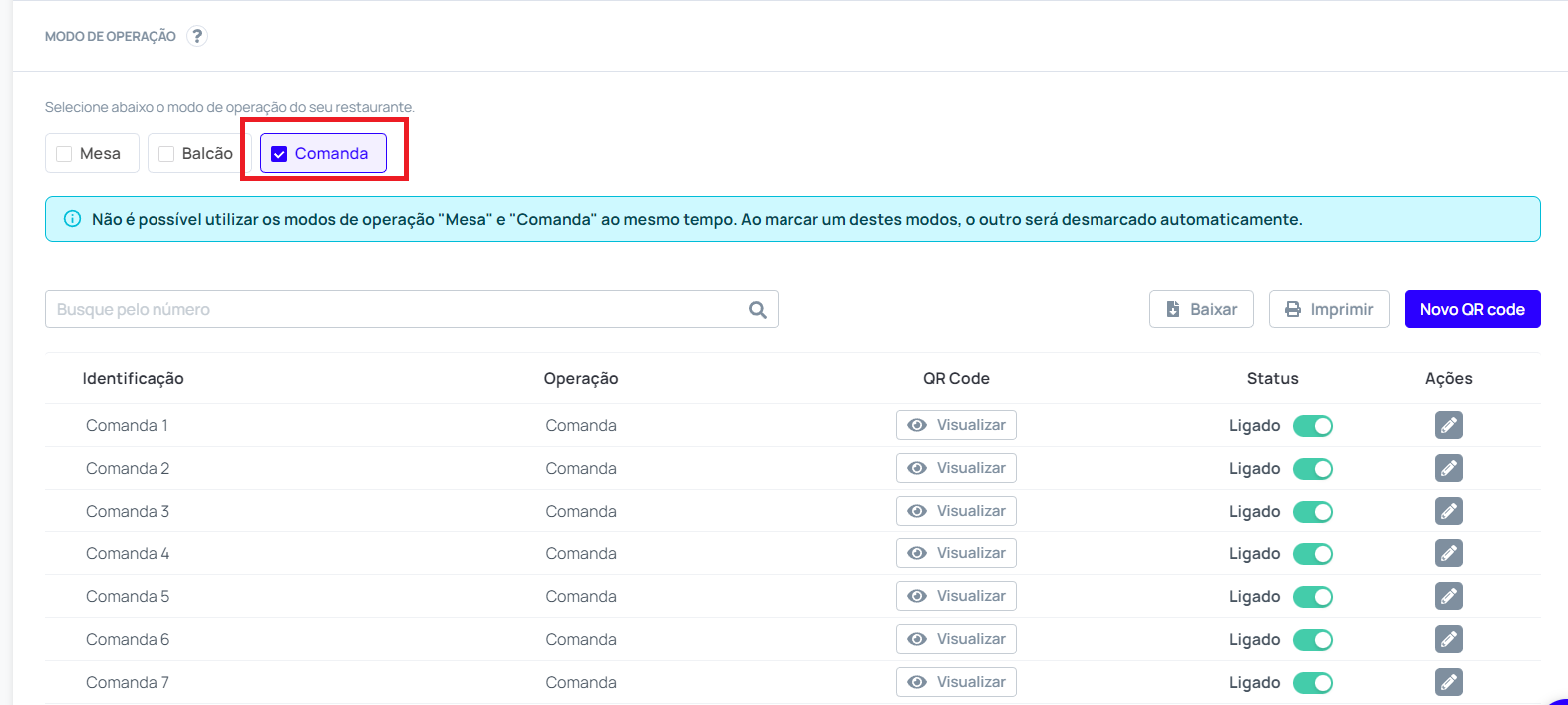
Selecione o modo de operação Comanda para que os QR Codes configurados para essa operação sejam exibidos.
{% hint style="info" %}
O modo de operação **Comanda** em um restaurante é uma opção para estabelecimentos que desejam oferecer aos seus clientes a possibilidade de ter contas separadas, mesmo quando estão sentados na mesma mesa, ou para que os clientes tenham a possibilidade de movimentar entre mesas sem se preocupar com as transferências de contas, pois tudo ficara centralizado em sua comanda, independente de qual mesa o cliente estiver.
{% endhint %}
## **3 - Salvar Configurações**
Não esqueça de salvar as alterações feitas.